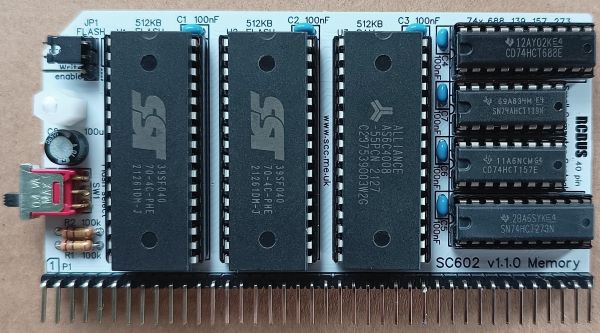
SC602 is a memory module with two 512KB byte FLASH ROMs and one 512KB page RAM designed for the RCBus. This module provides suitable memory for running RomWBW, CP/M and the Small Computer Monitor (SCM).
- SC602 – Assembly guide
- SC602 – Compatibility
- SC602 – Firmware, RomWBW RCZ80_std (RomWBW v3.5)
- SC602 – Firmware, RomWBW RCZ80_sc (RomWBW v3.4)
- SC602 – Firmware, SCM S7
- SC602 – Parts list
- SC602 – Printed circuit board
- SC602 – User guide
- SC600 series information
- SC600 series support
Downloads
- SC602 v1.1, Kit contents sheet (PDF)
- SC602, v1.1, Schematic (PDF)
- SC602, v1.1, PCB design files (OSHWLab)
- SC602, v1.1, Gerber files (ZIP)
Errata
Nothing known
Suppliers
| Kits | Website | From | Currency |
| Small Computers Direct | SCDirect | UK | GBP |
| Stephen C Cousins | Tindie | UK | USD |
| Small Computer Central | Lectronz | UK | Euro/USD |
| PCBs | Website | From | Currency |
| Small Computers Direct | SCDirect | UK | GBP |
| Stephen C Cousins | Tindie | UK | USD |
| Small Computer Central | Lectronz | UK | Euro/USD |
| Assembled and Tested | Website | From | Currency |
| Not available | |||
| Components | |||
| See parts list |
Tindie does not collect VAT for EU countries
Lectronz does collect EU VAT for orders up to 150 EUR
Parts List
| Reference | Qty | Component |
| PCB | 1 | SC602, v1.1, PCB |
| C1 to C7 | 7 | Capacitor, ceramic, 100 nF |
| C8 | 1 | Capacitor, electrolytic, 100 µF |
| JP1 | 1 | Header, male, 1 row x 3 pin, angled |
| Jumper | 1 | Jumper shunt |
| P1 | 1 | Header, male, 1 row x 40 pin, angled |
| R1 and R2 | 2 | Resistor, 100k, 0.25W |
| SW1 | 1 | Switch, toggle or slide, sub-miniature, SPDT |
| Screw (for spacer) | 1 | Machine screw, 6mm, M3 |
| Spacer | 1 | Spacer, 10mm, M3, nylon |
| U1 and U2 | 2 | FLASH 512k bytes SST39SF040 |
| U3 | 1 | RAM 512k bytes AS6C4008 |
| U4 | 1 | 74HCT688 |
| U5 | 1 | 74HCT273 |
| U6 | 1 | 74HCT157 |
| U7 | 1 | 74AHCT139 |
| IC socket 32-pin U1, U2 and U3 | 3 | Socket, DIP, 32-pin |
| IC socket 20-pin U4 and U5 | 2 | Socket, DIP, 20-pin |
| IC socket 16-pin U6 and U7 | 2 | Socket, DIP, 16-pin |
Printed Circuit Board
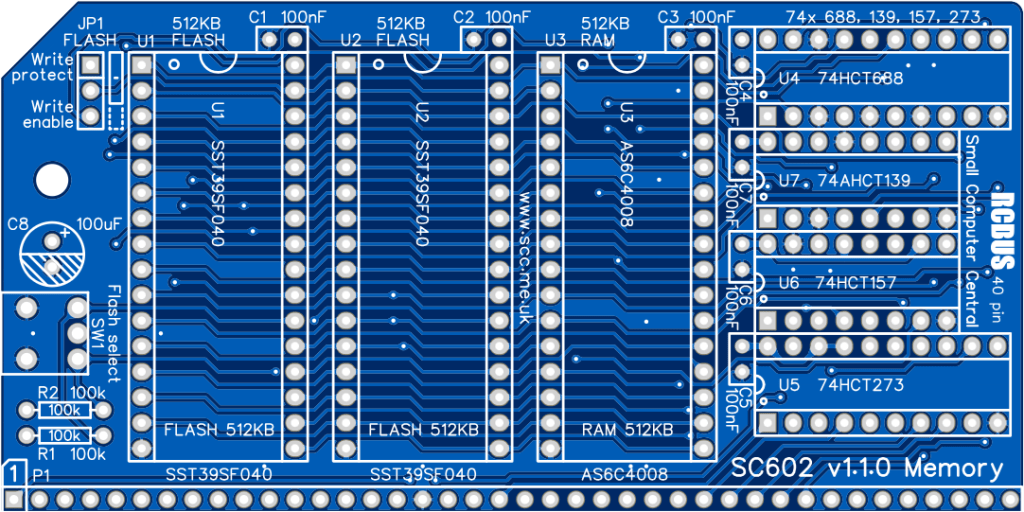
User Guide
SC602 is a memory module with two 512KB byte FLASH ROMs and one 512KB RAM, designed for the 40-pin RC2014/RCBus. This module provides suitable memory for running RomWBW, CP/M and the Small Computer Monitor (SCM).
Only one of the FLASH ROMs is enabled at a time. This is selected with switch 1 (SW1). Typically, one ROM contains RomWBW and the other contains SCM.
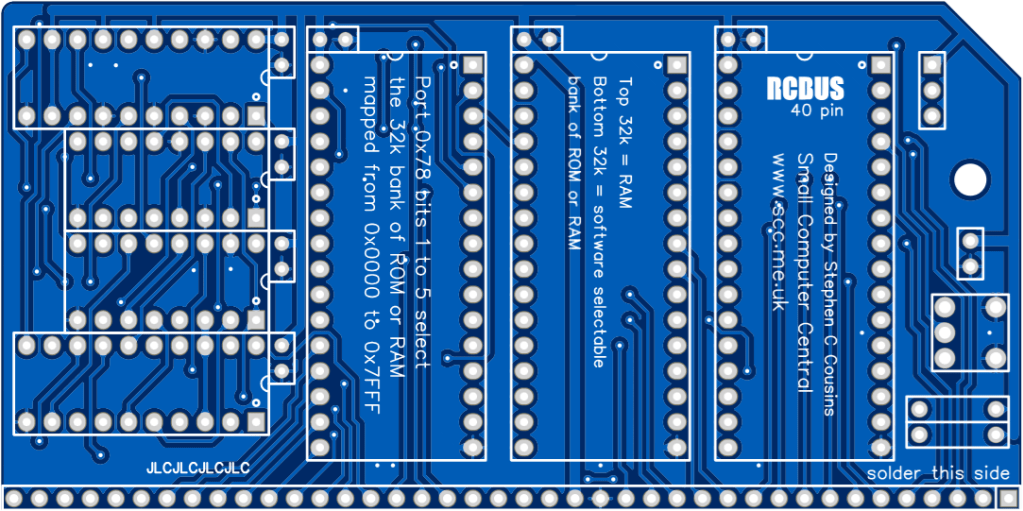
The top 32KB of the 512KB RAM is always mapped to the top 32KB of the Z80’s memory space (0x8000 to 0xFFFF).
At reset the bottom 32KB of the 512KB FLASH ROM is mapped to the bottom 32KB of the Z80’s memory space (0x0000 to 0x7FFF).
Any of the sixteen 32KB FLASH ROM banks (0 to 15) or any of the sixteen 32KB RAM banks (16 to 31) can be mapped to the bottom 32KB of the Z80’s memory space (0x0000 to 0x7FFF) with a single write to I/O address 0x78 (or 0x79). The value written to this I/O address is two times the bank number. Bits 0, 6 and 7 are ignored. This scheme has been used for compatibility with existing software.
Input/output port functions
| I/O Address | Read | Write |
| 0x78 (0x78 to 0x79) | n/a | Memory bank select Bits 1 to 5 = Bank number (x2) Bit 5 = RAM (hi), FLASH (lo) |
Jumper options
| Jumper | Function |
| JP1 | FLASH write enable / protect Read only = Write protected Write = Read and write enabled |
It is recommended that a jumper shunt be fitted in the “Read only” position of JP1 during normal use. It only needs to be in the “Write” position when the contents of the FLASH is to be updated. While the FLASH device requires a very specific sequence of events to protect it against accidental modification, it is best to play safe and use the jumper to ensure it can not be written to.
Assembly Guide
Below is the suggested order of assembly. A general guide to assembling circuit boards can be found here.
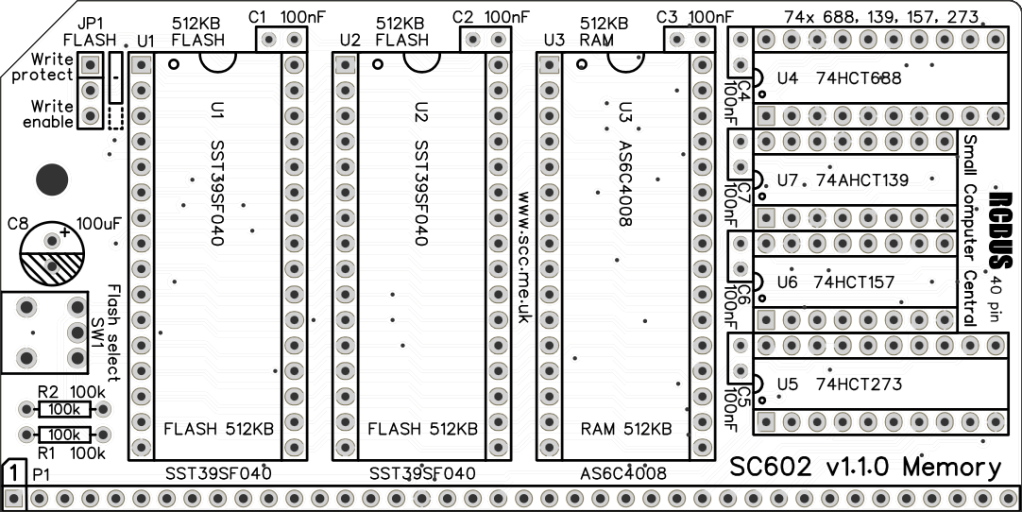
- Resistors R1 and R2 (100K)
These can be fitted either way around - Decoupling capacitors C1 to C7 (100 nF)
These can be fitted either way around - Bus header P1 (1 row x 40 pin, angled)
Make sure the pins are parallel to the PCB so that the board is vertical when it is fitted into a backplane socket - Header pins JP1 (1 row x 3 pin, straight)
- Sockets for U1 to U7
Fit such that the notch in the socket matches the curve in the outline on the PCB silkscreen - Toggle or slide switch SW1
- Capacitor C8 (100 uF)
This must be fitted the correct way around, as described here - Insert the integrated circuits into their sockets
Make sure the notch in the component is at the end indicated by the notch in the socket and the curve on the PCB silkscreen - Fit the nylon spacer in the mounting hole
Fit a jumper shunt in the position shown below.

Compatibility
This module conforms to the RCBus specification v1.0 for RCBus-2014 (40-pin bus) and RCBus-Z80 (40-pin bus).
The RCBus specification includes RCBus-2014 (both RC2014 standard 40-pin bus and RC2014 enhanced 60-pin bus) and also the full 80-pin RCBus. The 80-pin RCBus provides support for advanced Z80 features, such as the interrupt daisy-chain, as well as support for other processor families.
The table below indicates electrical compatibility with each backplane type (40, 60 and 80 pin)

| Backplane | ? | Compatibility notes |
| RCBus 80-pin |  | Fully supported |
| RCBus 60-pin (RC2014 enhanced) | | Fully supported |
| RCBus 40-pin (RC2014 standard) | | Fully supported |
Notes
- This product is designed for hobby use and is not suitable for industrial, commercial, or safety-critical applications.
- The product contains small parts and is not suitable for young children.
- RomWBW is copyright Wayne Warthen and has been provided free of charge with his permission.
 Small Computer Central