SC517 is a modular backplane that allows RC2014 bus compatible modules to be used as part of a Z50Bus system.

Documentation
- SC500 – Series Information
- SC517 – Description
- SC517 – Assembly Guide
- SC517 – Parts List
- SC517 – Printed Circuit Board
- SC517 – Support
- SC517 – User Guide
Downloads
Kits
Older Versions
- none
Description
SC517 is a modular backplane that forms a bridge between the Z50Bus and the RC2014 bus.
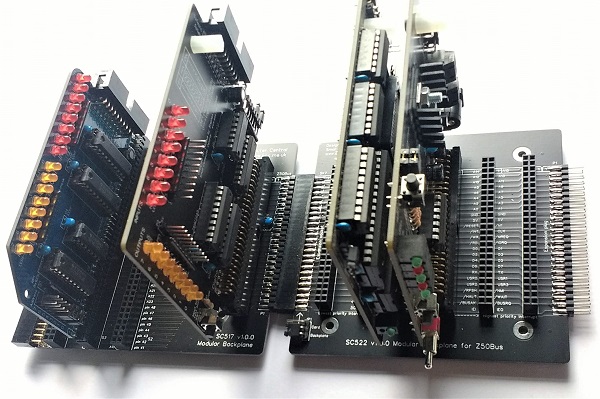
This modular backplane section can be connected to any Z50Bus compatible bus socket, such as a modular backplane or the LiNC80 SBC1.
It provides one Z50Bus compatible card socket, three vertical RC2014 bus compatible module sockets, and one horizontal RC2014 bus compatible module socket.
The horizontal socket allows either an RC2014 compatible module to be connected or another modular backplane section.
Parts List
| Reference | Qty | Component |
| PCB | 1 | SC517, v1.0, PCB |
| C1 to C4 | 4 | Capacitor, ceramic, 100 nF |
| JP1 | 1 | Header, male, 2 x 4 pin, straight |
| Jumper shunts | 4 | Jumper shunt |
| P1 | 1 | Header, male, 2 x 25 pin, straight |
| S1 | 1 | Header, female, 2 x 25 pin, straight |
| S2 to S4 | 3 | Header, female, 2 x 40 pin, straight |
| S5 | 1 | Header, female, 2 x 40 pin, angled |
| Feet | 6 | Self-adhesive feet, or Other PCB support |
Printed Circuit Board
| Supplier | Website | Ships from |
| Stephen C Cousins | Tindie | UK |
| pcb4diy | pcb4diy.de | Germany |
| pcb4diy | eBay | Germany |


User Guide
SC517 is a modular backplane that forms a bridge between the Z50Bus and the RC2014 bus.

This modular backplane section can be connected to any Z50Bus compatible bus socket, such as a modular backplane or the LiNC80 SBC1.
It provides one Z50Bus compatible card socket, three vertical RC2014 bus compatible module sockets, and one horizontal RC2014 bus compatible module socket.
The horizontal socket allows either an RC2014 compatible module to be connected or another modular backplane section.
This modular backplane can be used with the following modular backplane sections and Z50Bus compatible products:
- Z50Bus compatible products
- SC513 Modular backplane for Z50Bus
- SC522 Modular backplane for Z50Bus
- SC128 Modular backplane for Z50Bus
- LiNC Z50Bus 5-slot backplane
- LiNC80 SBC1
- RC2014 bus compatible products
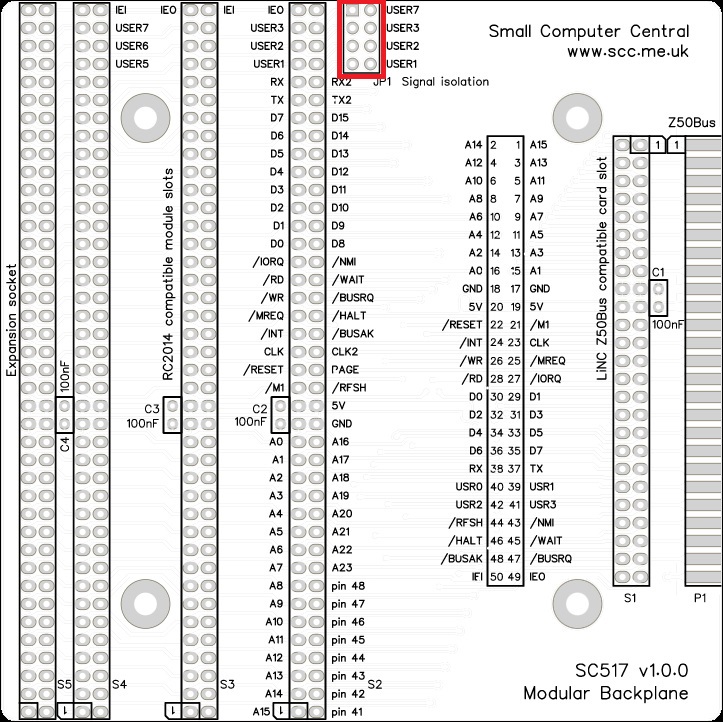
Both bus systems provide a number of USER pins. These are a free-for-all and so there are sometimes conflicts. Some of these pins can be isolated (or connected) between the two bus systems at JP1, as indicated in the table below.
| JP1 label | Z50Bus pin name | RC2014 bus pin name |
| USER7 | USR3 | USER7 |
| USER3 | USR2 | USER3 |
| USER2 | USR1 | USER2 |
| USER1 | USR0 | USER1 |
To connect the pins, fit jumper shunts. To isolate the pins, do not fit jumper shunts.
The RC2014 bus is described here.
The Z50Bus is described here.
Assembly Guide
Experienced builders:
C1 needs to lay flat against the board so it does not obstruct cards with box headers.
Other than that you can just go ahead and populate the board. There shouldn’t be any surprises to catch you out.
This guide assumes you are familiar with assembling circuit boards, soldering, and cleaning. If not, it is recommended you read some of the guides on the internet before continuing.
First check you have all the required components, as listed in the parts list.
Before assembling it is worth visually inspecting the circuit board for anything that looks out of place, such as mechanical damage or apparent manufacturing defects.
If you have a multimeter that measures resistance or has a continuity test function, check there is not a short on the power supply tracks. Connect the probes to each terminal of one of the capacitors, such as C1. This should be an open circuit, not a short circuit.
The picture below shows what a completed SC517 Modular Backplane should look like.
Male bus header
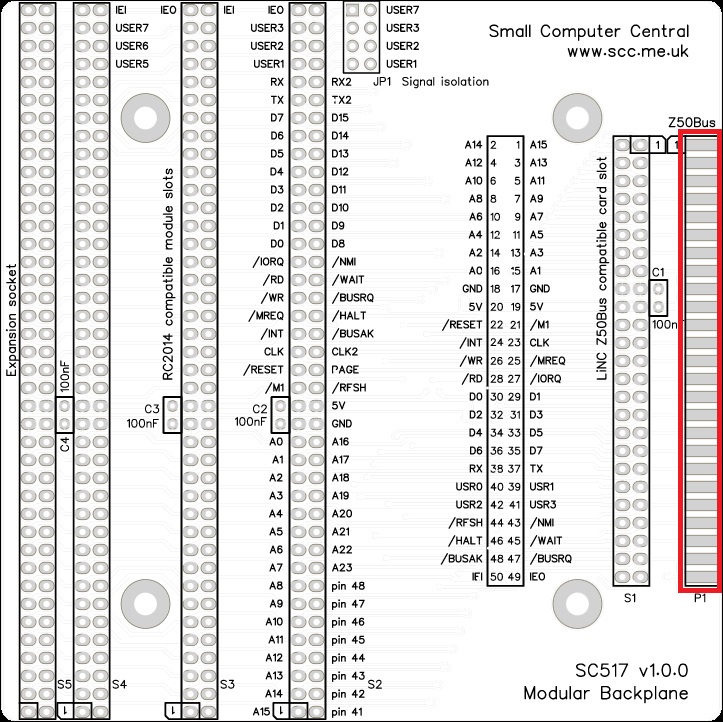
Fit and solder the Z50Bus male bus header pins (shown below in red).
This fits over the edge of the PCB as illustrated above.
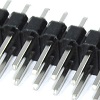
A good strategy for fixing this so the pins are parallel to the circuit board is to solder one pin near each end, on one side of the board. Check the pins are parallel and adjust if necessary. Now solder a similar pair of pins on the other side, and again adjust as necessary. Now solder a few on each side, then swap sides until all the pins are soldered.
Expansion socket
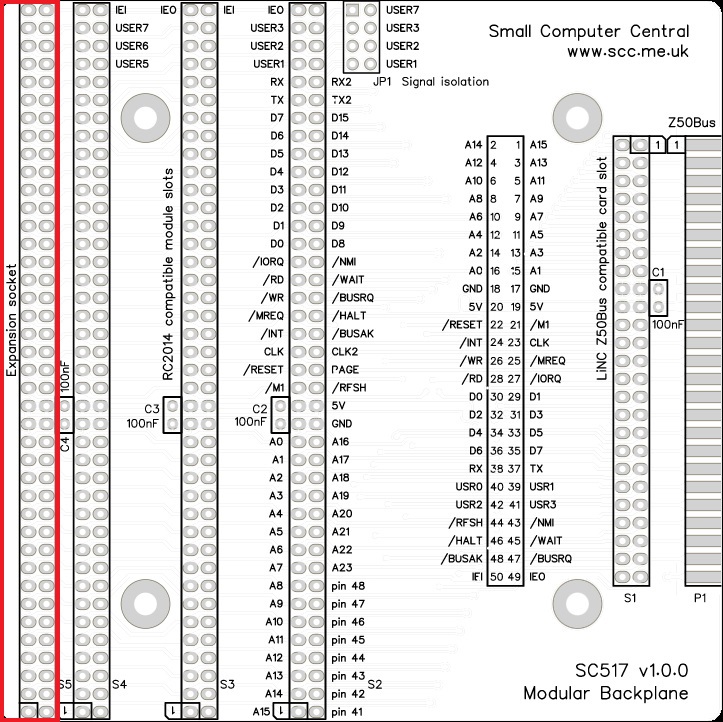
Fit and solder the female angled header.

Capacitors (100 nF)
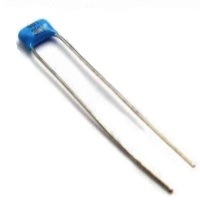
Fit and solder the 100 nF capacitors, C1 to C4.
NOTE:
C1 needs to lay flat against the board so it does not obstruct cards with box headers.
These can be fitted either way around as they are not polarity dependent.

Bus sockets
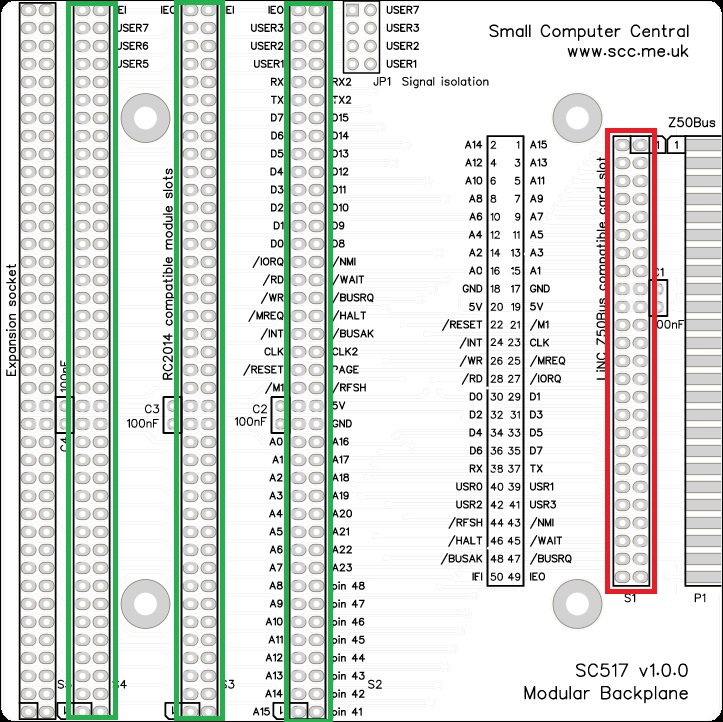
Fit and solder the Z50Bus socket (shown below in red).
Fit and solder the RC2014 bus sockets (shown below in green).

Jumper Header Pins
Fit and solder the jumper header pins.

Inspection
Remove any solder ‘splats’ with a brush, such as an old toothbrush.
Visually inspect the soldering for dry joints and shorts.
Clean the flux off with suitable cleaning materials.
Visually inspect again.
If all is well, go ahead and give it a try.
Notes
- This design is made with the permission of LiNC (designers of the Z50Bus).
- This design is made in accordance with the “designed for RC2014” labelling scheme.
- RC2014 is a trademark of RFC2795 Ltd
- This product is designed for hobby use and is not suitable for industrial, commercial, or safety-critical applications.
- The product contains small parts and is not suitable for young children.
 Small Computer Central