This example demonstrates one way to connect an alphanumeric LCD to a parallel port. The example code has been written as a Small Computer Monitor App.
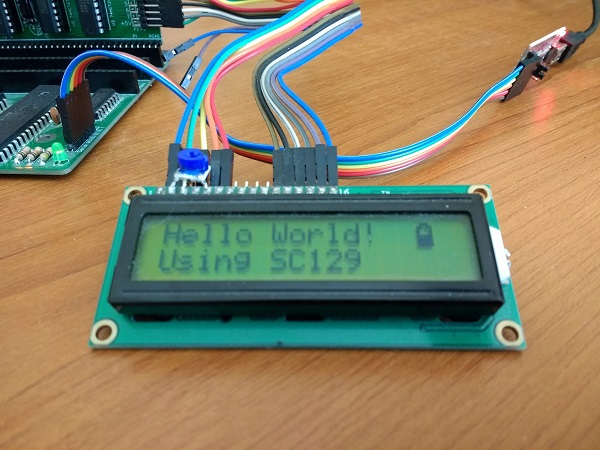
Typically, the display will have 2 lines with 16 characters in each line.
The display is connected to either a simple digital output
port (such as SC129) or to a Z80 PIO (such as SC103).
This interfacing method uses 4-bit data mode and uses time delays rather than polling the display’s ready status. As a result the interface only requires 6 simple output lines, as shown below.

Source code can be found here (ZIP)
Additional example software and hardware, contributed by Adam Figueroa, can be found here (GitHub)
The example source code supports a number of hardware combinations selected by a #DEFINE statement. These are the I/O addresses used by the different #DEFINE builds:
| Build | Device | Address |
| LINC80 | LiNC80 SBC1 Z80 PIO | 0x18 |
| RC2014 | RC2014 plus SC104 Z80 PIO | 0x68 |
| Z280RC | Z280RC SBC plus SC104 Z80 PIO | 0x68 |
| SC129 | SC129 digital I/O | 0x0D |
WARNING: Some of the pictures below show the hardware configured to I/O addresses other than the defaults in the example code.
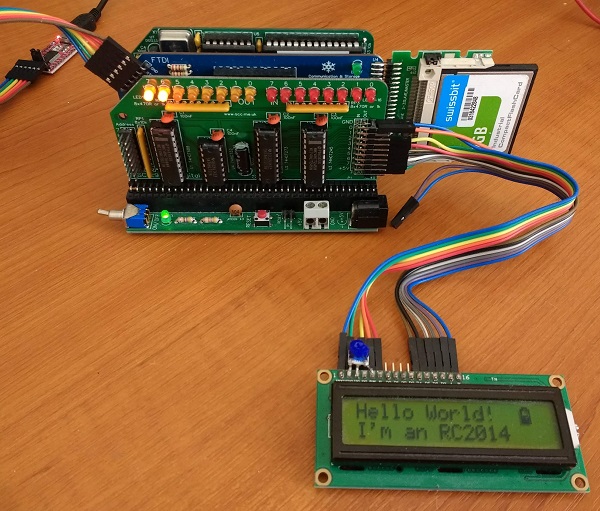
Here are some of the hardware combinations supported by the example code:



 Small Computer Central